
Rooms & suites

Rooms built for focus and predictable rest

The room philosophy is straightforward: strong sleep conditions, desk usability that works on day one, and storage clarity that prevents clutter. Every category is described by real use-cases—early meetings, video calls, short downtown stays, and longer work trips where routine matters.

Desk-first layouts Outlet access planning Noise-mitigation notes Clear feature comparisons Lighting zone guidance Storage-first approach
Best for: business travel, conferences, short urban stays Key focus: desk comfort + quiet routine + practical storage Tip: request higher floor if you’re noise-sensitive

What “work-ready” means here

  • Desk usability: surface space for laptop + notes, not just a token table.
  • Lighting logic: task light placement designed to reduce glare and fatigue.
  • Charging access: reachable outlets so cables don’t cross the room.
  • Call practicality: layout that supports clean, stable video-call setups.

What “predictable rest” means

  • City noise reality: downtown has peaks—floor and exposure matter.
  • Room zoning: keeping work items off the bed supports wind-down.
  • Climate routine: stable overnight temperature reduces wake-ups.
  • Daily flow: storage + surfaces reduce morning friction before meetings.

Quick way to choose a category

If you’re meeting-heavy

  • Prioritize desk comfort and quick routines.
  • Choose categories with stronger zoning if you take calls.

If you’re staying longer

  • Prioritize storage and extra surfaces to avoid clutter.
  • Consider studio/suite categories for separation and flexibility.
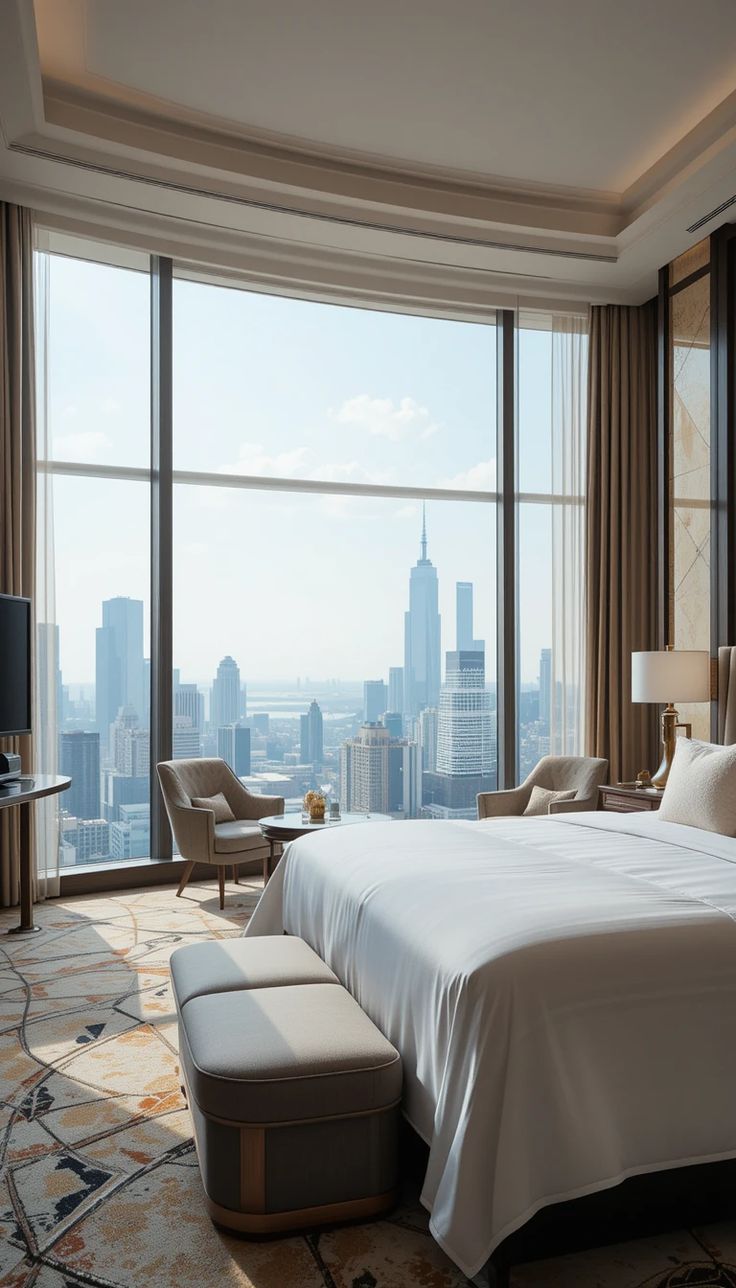
Room interior with work desk, chair, and city view

Summary

How to read these room descriptions

Work features

  • Desk surface size and placement relative to lighting.
  • Outlet positioning for laptop + phone + accessory charging.
  • Chair ergonomics intended for short work blocks.
  • Video-call practicality (background, light direction).

Sleep features

  • Window considerations (street exposure varies downtown).
  • Room zoning between desk and bed where possible.
  • Climate guidance for stable overnight comfort.
  • Soft-surface approach to reduce harsh acoustics.

Daily-living features

  • Storage logic: hang space, luggage area, surfaces.
  • Bathroom flow: counter space and towel placement.
  • Lighting zones for morning routine vs late work.
  • Practical amenities: coffee/tea station placement.

Room categories

Compare rooms by how you actually use them

Urban Queen

Best for: solo business travel, short downtown stays, early meetings.

Use-case: 1 guest, high meeting density Priority: desk + sleep consistency

  • Desk: compact, task-lit, outlet access within reach.
  • Storage: efficient hang space; designed to avoid clutter.
  • Sleep: focus on quiet routine; ask for higher-floor placement if sensitive.
  • Bathroom: practical counter space for travel kits; towel hooks placed for daily use.
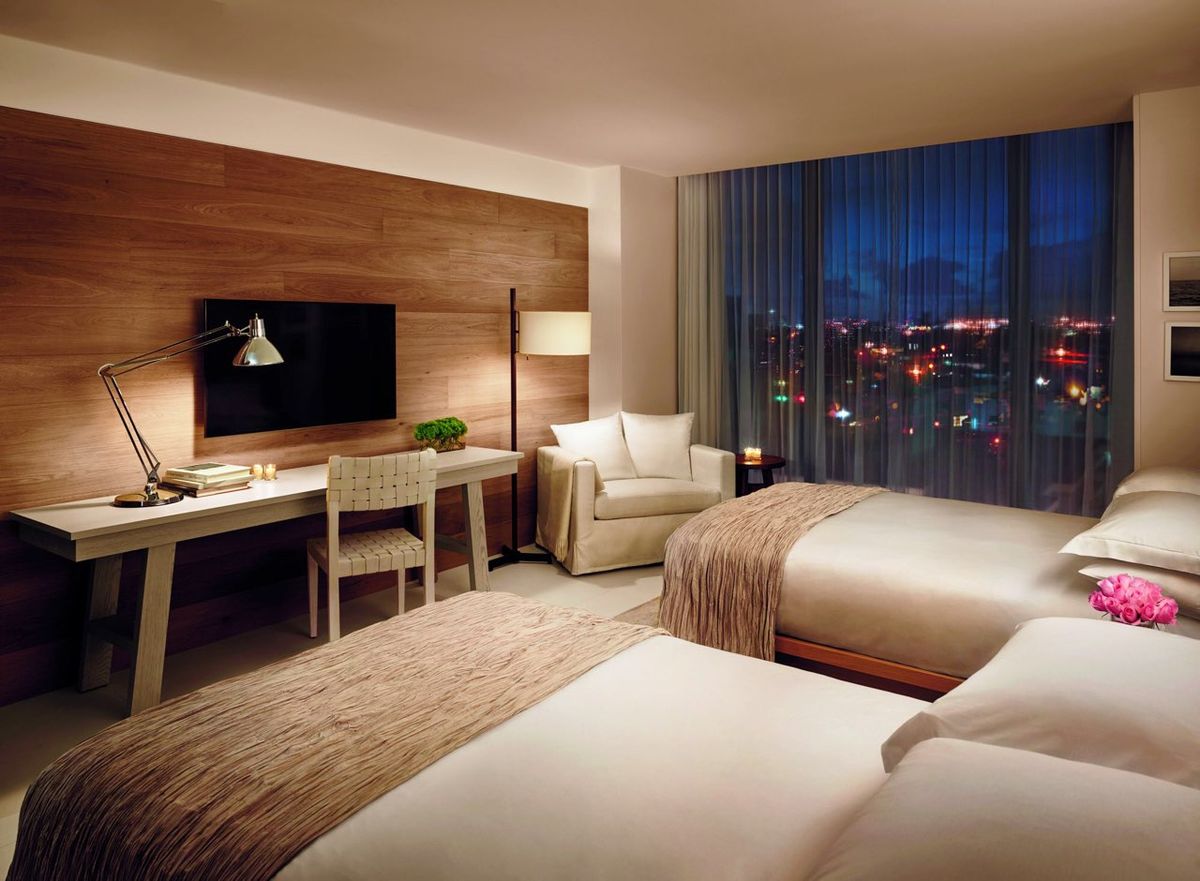
Downtown King

Best for: longer stays, travelers who want extra surface space and a calmer layout.

Use-case: 1–2 guests Priority: comfort + work flexibility

  • Desk: larger surface, better spread for laptop + notes.
  • Seating: an additional chair or soft seat depending on layout.
  • Sleep: room zoning supports separation between work and rest.
  • Lighting: more distinct zones (task / ambient / bedside).

Corner Studio

Best for: mixed work + downtime, guests who want daylight and a more open feel.

Use-case: 1–2 guests Priority: daylight + layout openness

  • Windows: corner exposures can improve daylight but may vary by street orientation.
  • Work: desk placement typically favors natural light from the side.
  • Storage: more flexible zones for luggage and daily items.
  • Best note: good choice when you want the room to feel less “compact downtown.”

Executive Suite

Best for: extended stays, private calls, or guests who need separate zones.

Use-case: work-heavy stays Priority: separation + flexibility

  • Zoning: defined lounge/work area separated from sleep space.
  • Calls: better option if you do frequent video calls or confidential conversations.
  • Daily use: more surfaces reduce desk clutter and “travel spread.”
  • Practical note: confirm availability early during conference weeks.

Selection guide

Choose a room the way a frequent traveler would

Step 1: define your “work load”

  • If you’ll do daily calls, prioritize zoning (Studio or Suite).
  • If you’re mostly out in meetings, prioritize sleep predictability (Urban Queen / Downtown King).
  • If you need space for materials, prioritize surface area (King / Suite).

Step 2: define your “sleep sensitivity”

  • Request higher floors if street noise affects you.
  • Bring earplugs if you’re a light sleeper in any downtown core.
  • Consider layout: more separation between desk and bed supports wind-down routines.

Step 3: plan for daily friction points

  • Do you need quick coffee? Check dining page for early options.
  • Do you need gym time? See amenities for hours and access rules.
  • Do you need transport guidance? Contact page includes map + notes.

Room feature checklist (for travelers who like clarity)

Feature Why it matters What to do
Desk lighting Reduces eye strain for late work Use task lamp + keep screen glare minimal
Outlet access Keeps workspace tidy and usable Pack a compact multi-USB charger
Room zoning Separates work from sleep routine Keep work items on one surface only
Storage logic Prevents clutter and lost items Use one “keys/ID” spot consistently

Where to go next

  • Amenities: Wi-Fi notes, gym, business services, quiet zones.
  • Dining: breakfast logic, coffee timing, simple onsite options.
  • Contact: direct questions, map, and transport guidance.
  • Privacy & Cookies: web policy clarity.
SEO note (implementation-ready): keep room category names consistent across menus, headings, and page titles.